Rename Standard to Economy
Display the Standard Shipping method as "Economy" at checkout.
Free template · imports into Nex Reorder via Rules → Import
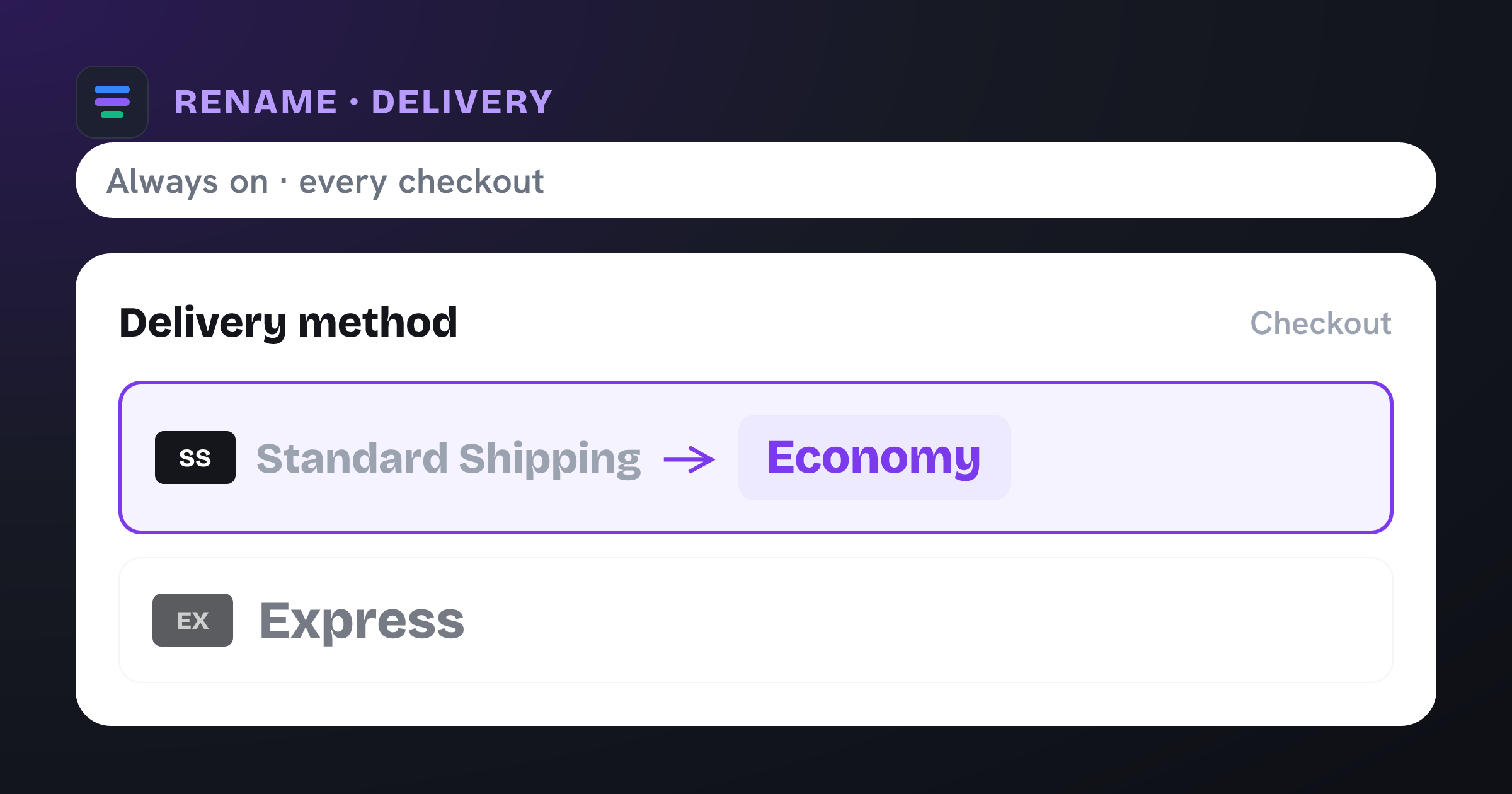
Renames “Standard Shipping” to “Economy” at checkout.
The problem it solves
The delivery label your carrier or app generates is rarely the wording you’d choose. “Standard Shipping” tells a shopper nothing about speed or cost, and next to an “Express” option it can read as the slow, boring default instead of the sensible-value choice.
What you get
Gives delivery options clear, shopper-friendly names that set expectations.
Frames the cheaper rate as a deliberate “Economy” choice, not an afterthought.
Keeps naming consistent across carriers and markets.
No carrier or shipping-profile reconfiguration — it’s a checkout-only label change.
What the template contains
Rename · Shipping method
Conditions
Always on — no conditions. Applies to every eligible checkout.
New label
- Standard Shipping Economy
Reach for this when…
-
You offer Standard + Express and want the pairing to read Economy vs Express.
-
Carrier-generated rate names look technical or inconsistent at checkout.
-
You’re localizing delivery wording for a specific market.
Import in three steps
- 01
Download the JSON
Grab this template as a ready-to-import rule file.
- 02
Import in the app
In Nex Reorder, open Rules → Import and pick the file.
- 03
Review & activate
Tweak methods or conditions to match your store, then go live.
Good to know
- This template renames to “Economy” — change it to any wording after importing.
- Renaming only changes the label shown at checkout; it never changes the rate’s price or delivery estimate.
Questions
Rename Standard to Economy
Does renaming change the price or delivery time?
No. Only the label shoppers see changes. The rate, price, and delivery estimate stay exactly as configured.
Can I rename it to something other than “Economy”?
Yes — “Economy” is just the default in this template. Edit it to whatever fits your brand and market after importing.
Can I rename it only in some markets?
Yes. Add conditions (shipping country, cart value, and more) so the new label appears only where you want it.
rename-standard-to-economy.rule.json
{
  "formatVersion": 1,
  "type": "rule",
  "app": "pay-reorder",
  "exportedAt": "2026-08-03T00:00:00.000Z",
  "rule": {
    "name": "Rename Standard to Economy",
    "methodType": "shipping",
    "action": "rename",
    "methods": [
      {
        "name": "Standard Shipping",
        "code": "Standard Shipping"
      }
    ],
    "conditions": [],
    "matchType": "all",
    "tier": "general",
    "hideAll": false,
    "renamePairs": [
      {
        "original": "Standard Shipping",
        "newName": "Economy"
      }
    ]
  }
}
This is the exact import format — app: "pay-reorder", validated by the app on import.
Related checkout rules
Control your Shopify checkout
$4.99/month, free trial. Import this template and go live in minutes.