Move Free Shipping to top
Show Free Shipping as the first option at checkout.
Free template · imports into Nex Reorder via Rules → Import
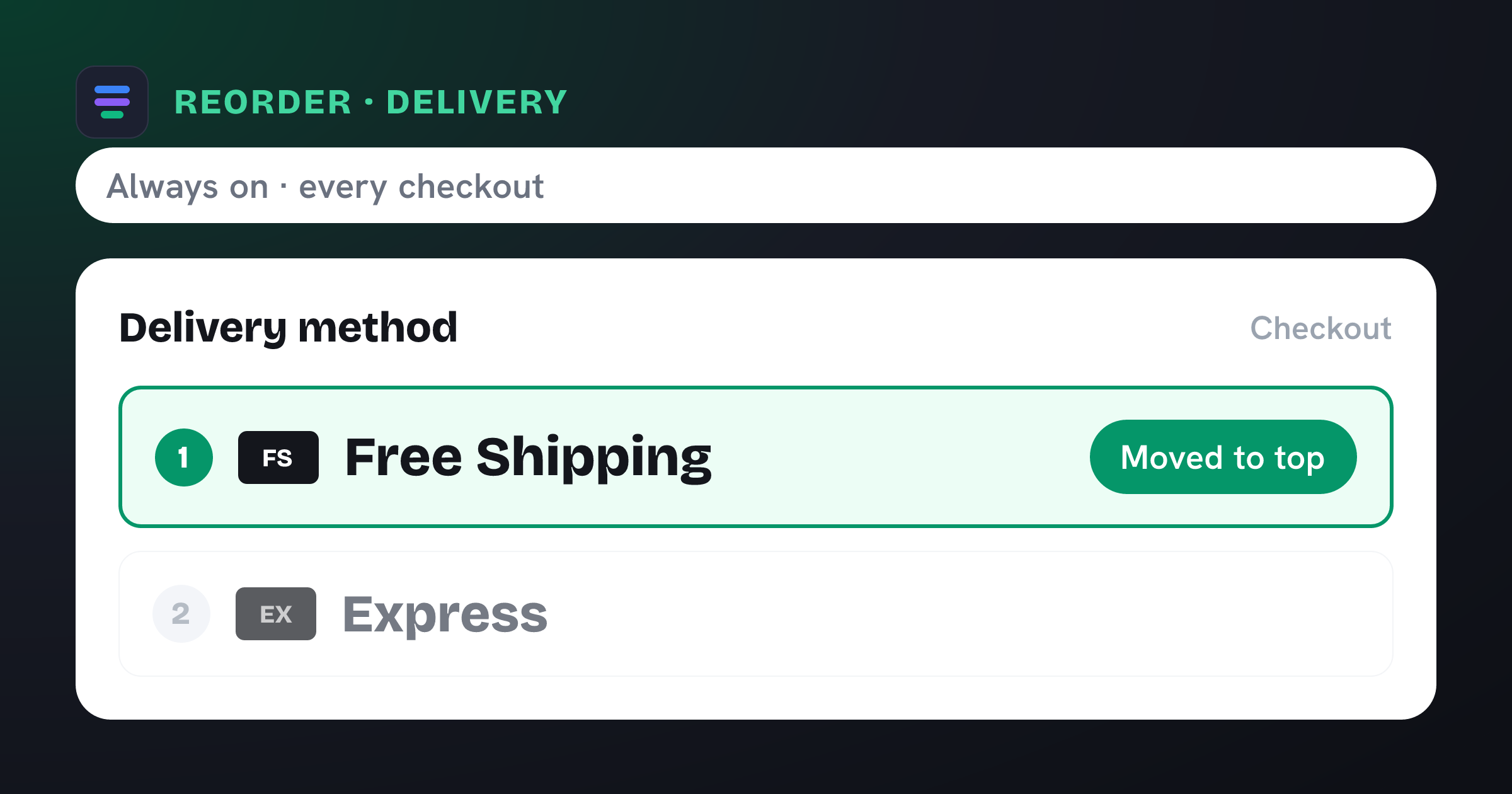
Moves Free Shipping to the top of the delivery method list at checkout.
The problem it solves
Free shipping is one of the strongest conversion levers you have — but only if shoppers notice it. When it sits below paid rates in the delivery list, plenty of buyers skim past it or pick a paid option out of habit, and you lose the goodwill you were paying for.
What you get
Puts your most attractive delivery option in the first, most-clicked position.
Reduces accidental paid-rate selection when a free option is available.
Reinforces the “free shipping” message at the exact moment of choice.
No theme or carrier changes — the order is applied at checkout automatically.
What the template contains
Reorder · Shipping method
Conditions
Always on — no conditions. Applies to every eligible checkout.
New order
- 1 Free Shipping moved to the top
Reach for this when…
-
Free shipping should be the default choice for qualifying carts.
-
You’re running a free-shipping promotion and want it front and centre.
-
You want to de-emphasize an expensive express rate sitting above it.
Import in three steps
- 01
Download the JSON
Grab this template as a ready-to-import rule file.
- 02
Import in the app
In Nex Reorder, open Rules → Import and pick the file.
- 03
Review & activate
Tweak methods or conditions to match your store, then go live.
Good to know
- Matches your “Free Shipping” rate by its checkout label — if yours is named differently, adjust the method after importing.
- Pair it with a cart-total condition so it only surfaces once the order qualifies for free shipping.
Questions
Move Free Shipping to top
Does this hide the paid shipping rates?
No. Every rate stays available — Free Shipping simply moves to the top of the list. Shoppers can still choose a paid option.
Will Free Shipping show even when the cart doesn’t qualify?
This template only reorders. If your Free Shipping rate already has a cart-value threshold in Shopify, it appears (and moves to the top) only when the cart qualifies.
Do I need to edit my theme?
No. Import the template and activate it — Nex Reorder applies the delivery order at checkout with no code.
move-free-to-top.rule.json
{
  "formatVersion": 1,
  "type": "rule",
  "app": "pay-reorder",
  "exportedAt": "2026-08-03T00:00:00.000Z",
  "rule": {
    "name": "Move Free Shipping to top",
    "methodType": "shipping",
    "action": "reorder",
    "methods": [
      {
        "name": "Free Shipping",
        "code": "Free Shipping"
      }
    ],
    "conditions": [],
    "matchType": "all",
    "tier": "general",
    "hideAll": false,
    "displayOrder": [
      {
        "name": "Free Shipping",
        "code": "Free Shipping",
        "index": 1
      }
    ]
  }
}
This is the exact import format — app: "pay-reorder", validated by the app on import.
Related checkout rules
Control your Shopify checkout
$4.99/month, free trial. Import this template and go live in minutes.